
You woke up, opened Google Search Console, and watched your traffic fall off a cliff.
No warning. No explanation. Just numbers heading in the wrong direction — and a sinking feeling that months of content work just got erased overnight.
Sound familiar? You are not alone.
Every time Google releases a core algorithm update, thousands of websites take a hit. Some lose 20% of their organic traffic. Others lose 60% or more. The problem is not just the drop itself — it is not knowing which pages lost traffic after a Google core update, or why it happened.
Without that clarity, you are guessing. And guessing costs you rankings, revenue, and time.
This guide gives you a precise, tool-backed process to find every affected page, understand the root cause, and build a clear recovery plan — starting today.
What Is a Google Core Update? (Quick Definition)
A Google core update is a broad, site-wide algorithm change that affects how Google ranks pages across the entire web. Unlike niche updates that target spam or links, core updates re-evaluate content quality, relevance, and trustworthiness at scale.
Google’s goal: surface the most helpful, authoritative content for every query. Pages that no longer meet that bar lose rankings. Pages that exceed it gain them.
Core updates are not penalties. They are re-rankings. That distinction matters — because the fix is content improvement, not technical cleanup.
Why Most Sites Get the Diagnosis Wrong
Here is what usually happens after a core update drops:
A site owner sees a traffic dip, panics, and starts making random changes — rewriting titles, deleting underperforming pages, and adding internal links everywhere. Two months later, nothing has recovered.
Why? Because they skipped the diagnostic step.
You cannot treat what you have not diagnosed. Before touching a single page, you need to answer four questions:
- Which pages lost the most clicks and rankings?
- When did the drop begin — and does it align with the update?
- What do the affected pages have in common?
- Who gained the rankings your pages lost?
Only then does a recovery plan make sense.
Step-by-Step: How to Identify Pages That Lost Traffic After a Core Update
Step 1: Confirm the Exact Update Date
Start here. If you do not anchor your data to the update date, you will chase the wrong signals.
Google announces core updates on the Google Search Central Blog. Bookmark it. Third-party tools like Semrush Sensor and Mozcast also track daily ranking volatility — spikes on these tools confirm when an update was actively rolling out.
Write the start date and end date of the rollout. Most core updates take 1–2 weeks to complete. You want data from after the rollout finished — not mid-roll.
Step 2: Pull Page-Level Data From Google Search Console
Google Search Console (GSC) is the most accurate source for this analysis. It shows real Google data — not estimates.
Follow these steps:
- Open GSC → Performance → Search Results
- Click Compare and set Date Range 1 as the 28 days before the update and Date Range 2 as the 28 days after
- Scroll down, click the Pages tab
- Sort by Clicks Difference (largest negative values first)
You now have a ranked list of your most damaged pages.
What to note for each page:
- Total click loss
- Average position change
- CTR change (even if impressions stayed stable)
- Which queries drove that page’s traffic before the update
Export this to a spreadsheet. This is your master damage report.
Step 3: Layer in Google Analytics 4 for Behavioural Signals
GSC tells you what changed. Google Analytics 4 (GA4) tells you why users were rejecting those pages before the update even hit.
In GA4:
- Go to Reports → Engagement → Pages and Screens
- Filter by Organic traffic source
- Compare pre-update vs. post-update periods
- Look at: Average Engagement Time, Bounce Rate, and Scroll Depth per page
The key insight: If a page had a high bounce rate before the update, Google likely used that signal to demote it. Core updates often confirm behavioural problems that already existed in your data.
A real-world example: A health blog noticed that its “symptoms of vitamin D deficiency” page had a 78% bounce rate and an average engagement time of under 30 seconds. After the March 2024 core update, that page dropped from position 6 to position 34. The behavioural data had been flashing a warning sign for months.
Step 4: Use Semrush or Ahrefs to Map Competitor Gains
Every ranking you lost went somewhere. Finding out who gained it teaches you exactly what Google is now rewarding.
In Semrush:
- Go to Domain Overview → Compare (enter your domain vs. 2–3 competitors)
- Check their visibility score trend during the same period
- Open Keyword Gap to see which keywords your competitors now rank for — that you do not
In Ahrefs:
- Open Site Explorer for a competitor domain
- Click Organic Keywords, filter by position 1–10
- Sort by “New” keywords added after the update date
Study those pages. How long are they? Do they have expert authors? Are they more comprehensive than yours? Do they cite primary research?
This is your content benchmark.
Step 5: Group Affected Pages by Failure Pattern
Once your damage list is built, do not treat each page as an isolated problem. Group them.
Common patterns that emerge after core updates:
Pattern A — Thin Content Cluster Pages under 800 words targeting competitive informational keywords. These are the most vulnerable to core updates because they lack depth and original value.
Pattern B — E-E-A-T Signal Failure Pages with no named author, no citations, no data, or no first-hand experience. Google’s helpful content guidance specifically flags this. Medical, finance, and legal content are especially exposed. For a step-by-step plan to fix these signals — covering author profiles, trust pages, schema, and backlinks — see the guide on how to improve E-E-A-T signals without hiring an agency.
Pattern C — Search Intent Mismatch: Pages that rank for a query but deliver the wrong type of content. Example: a user searches “best CRM for small business” expecting a comparison — but lands on a 500-word generic overview. Google learns from click-through and bounce behaviour that the page does not satisfy the intent.
Pattern D — Freshness Decay: Pages that were strong in 2021 but have not been updated since. Core updates increasingly reward recency — especially in fast-moving niches like tech, finance, and marketing.
Identifying which pattern dominates your loss tells you exactly which fix to apply at scale.
Step 6: Run a Page-Level Content Quality Audit
For each high-priority page (top 20 by traffic loss), answer these questions honestly:
Content Depth
- Does this page fully answer every related sub-question the user might have?
- Is there original analysis, data, or insight — or is it just recycled advice?
- Would an expert in this field find this page useful?
Trust Signals
- Is there a named author with visible credentials?
- Are claims backed by links to authoritative sources?
- When was the page last updated — and is that date visible?
User Experience
- Does the page load in under 3 seconds on mobile?
- Is the content scannable with a clear H2/H3 structure?
- Are there helpful visuals, tables, or embedded tools?
Intent Alignment
- Compare your page to the top 3 ranking pages for the same keyword
- Are you offering the same format (list vs. guide vs. tool)?
- Are you answering the query better — or just differently?
For affected pages that need substantial work, the structured approach in the guide on optimizing old blog posts for Google gives you a repeatable process — covering keyword realignment, depth improvements, and re-indexing steps.
Use Screaming Frog to audit technical on-page elements across all affected URLs in one crawl — catching missing meta descriptions, short word counts, or broken internal links at scale.
The Hidden Cost Most SEO Articles Ignore
Recovery is slow. That is not optional — it is structural.
Google does not re-evaluate your improved content in real time. According to Google’s own core update documentation, changes you make after a core update may not be reflected until the next core update — often 3 to 6 months later.
This means the cost of a core update hit is not just the traffic you lost. It is:
- The revenue gap over the recovery window
- The content production hours needed to fix the affected pages
- The competitive ground you lose while competitors consolidate your rankings
Budget accordingly. Do not promise clients or stakeholders a quick bounce-back.
Common Mistakes That Extend the Damage
Avoid these reactions — they make recovery harder:
- Mass-deleting affected pages — You destroy backlink equity and crawl history. Improve first, remove only if there is genuinely no search value.
- Changing URLs on dropped pages — This creates redirect chains, resets crawl signals, and confuses search engines.
- Making 10 changes at once — You will never know what worked. Make one meaningful change per page, then track.
- Ignoring the pages that gained — Your own site may have winners from the same update. Understand why — and replicate it.
- Submitting for re-indexing immediately — Wait until your improvements are substantial. Submitting a page that is still weak just confirms the problem.
Tools Summary: What to Use and When
| Tool | Best For |
|---|---|
| Google Search Console | Identifying pages and keywords that lost clicks and rankings |
| Google Analytics 4 | Understanding user behaviour signals pre- and post-update |
| Semrush | Competitor visibility tracking, keyword gap analysis |
| Ahrefs | Detailed ranking history, backlink changes, and content gaps |
| Screaming Frog | Technical crawl — word count, metadata, broken links |
| Surfer SEO | NLP-based content scoring and optimisation recommendations |
| Mozcast | Daily ranking volatility tracking during update rollouts |
What Recovery Actually Looks Like (Realistic Timeline)
Here is a realistic recovery sequence based on typical post-update patterns:
- Weeks 1–2: Diagnosis complete. Affected pages grouped by failure pattern. Priority list built.
- Weeks 3–6: Content improvements deployed on highest-traffic-loss pages. Focus on depth, E-E-A-T signals, and intent alignment.
- Weeks 7–12: Gradual partial recovery on improved pages. Some pages move back into the top 20. Monitor GSC weekly.
- Next core update (3–6 months): Full recovery potential if improvements were substantive and consistent.
The key metric during recovery is not rankings — it is engagement time. If users are staying longer and bouncing less, your improvements are working. Rankings follow behaviour.
Final Thoughts
A Google core update is not a punishment. It is a benchmark reset.
Google raised the standard. Your job is to meet it — with better content, stronger trust signals, and tighter intent alignment than whatever is currently ranking above you.
The sites that recover fastest are not the ones that panic and pivot. They are the ones who diagnose precisely, fix strategically, and monitor consistently.
Open Google Search Console right now. Pull your page-level comparison data. Find your top 20 drops. Group them by pattern.
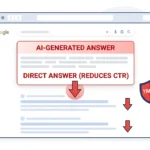
One more signal worth checking alongside your core update diagnosis: if your impressions are stable but CTR is falling on the same pages, the cause may be Google AI Overviews rather than a ranking drop — these two issues require different fixes and are easy to conflate in GSC data.
That is your recovery plan. Start there.
FAQs
How do I know if my traffic drop was caused by a core update and not something else?
Cross-reference your drop date with confirmed core update rollout dates via Google Search Central. If your traffic fell within 72 hours of a rollout start and recovered partially when it ended, a core update is almost certainly the cause. Rule out technical issues (crawl errors, index removal) using GSC’s Coverage report first.
Which pages are most at risk during a core update?
Pages with thin content, no identifiable author, high bounce rates, mismatched search intent, or outdated information are the most vulnerable. Pages in YMYL (Your Money Your Life) niches — health, finance, legal — face higher scrutiny because accuracy directly affects users.
Should I fix all affected pages at once or prioritise?
Prioritise by traffic value and recovery potential. Start with pages that were ranking in positions 6–20 — these are closest to recovery and deliver the fastest ROI. Pages that dropped to position 50+ may need a full content rebuild before they are worth prioritising.
Can improving one page affect the rest of my site?
Yes. Google evaluates site-level quality signals, not just individual pages. A cluster of weak, thin pages can suppress the entire domain’s authority. Improving — or consolidating — those pages can lift unaffected pages too.
Is it worth hiring an SEO agency to manage core update recovery?
For sites with 50+ affected pages, yes. The audit, prioritisation, and content improvement process requires structured project management. A qualified agency brings benchmarking tools and recovery frameworks that save months of trial and error. Verify their process includes competitor analysis and behavioral data — not just keyword reports.

Other Articles




No Comment! Be the first one.