
The average household spends $61 a month on streaming. That’s $732 a year. And research shows nearly 40% of subscribers are paying for at least one service they completely forgot about.
You might be one of them.
Right now, somewhere in your bank statement, there’s a charge you haven’t thought about in months. Quiet. Automatic. Draining your account every 30 days without a single hour of entertainment in return.
Here’s how to find it — and every other wasted streaming subscription just like it.
Quick take: A monthly streaming subscription audit takes 15 minutes and can save you $300–$600 a year. The secret isn’t cutting everything — it’s knowing what to keep, what to rotate, and what to cancel today.
The Sneaky Way Streaming Platforms Keep Charging You (Even When You’re Not Watching)
Let me tell you something that happened to a friend of mine — and maybe you.
Last November, she did her first-ever streaming audit. She found she was paying for Netflix, Disney+, Hulu, Max, Paramount+, Apple TV+, and Peacock simultaneously. Seven services. Every single month. She hadn’t opened Paramount+ since March.
The total? $94.93 a month. Over $1,100 a year — for TV.
She cancelled four services that afternoon and felt something she didn’t expect: relief.
Here’s the thing: streaming companies don’t advertise — they are built on passive retention. The moment you sign up, the real goal isn’t keeping you entertained — it’s keeping you subscribed. Auto-renewals are buried. Cancellation flows are deliberately complicated. Free trials quietly convert. And the monthly charge is just small enough that you never quite feel the pain.
They are counting on your inertia. This guide is how you fight back.
By the Numbers: What Streaming Is Actually Costing You
Before we get into the fix, let’s look at the real scale of the problem.
| Stat | Figure |
|---|---|
| Average streaming services per household | 4.5 |
| Average monthly streaming spend | $61/month |
| Average annual streaming spend | $732/year |
| Subscribers who forgot about at least one service | 40% |
| The estimated annual waste from unused streaming | $432/year |
| Time to complete a streaming audit | 15 minutes |
Those numbers aren’t abstractions. That’s a weekend trip. A new laptop fund. Real money — gone silently, automatically, every year.
Step 1: Pull Up Every Single Subscription Right Now
Before you cut anything, you need the complete picture. This step shocks almost everyone.
Check every one of these places:
- Your bank statement or credit card history (search “streaming,” “subscription,” “plus,” “TV”)
- iOS: Settings → Apple ID → Subscriptions
- Android: Google Play → Payments → Subscriptions
- PayPal: Settings → Payments → Manage automatic payments
Write them all down. Every single one — the obvious, the obscure, the ones that came “free” with something else and then quietly started charging three months later.
Common streaming charges people forget about:
| Service | Ad-Supported Price | Ad-Free Price | Notes |
|---|---|---|---|
| Netflix | $7.99/mo | $15.49–$22.99/mo | The most popular tier is Standard |
| Disney+ | $7.99/mo | $13.99/mo | Often bundled with Hulu + ESPN+ |
| Max (HBO) | $9.99/mo | $15.99–$19.99/mo | Frequently discounted |
| Hulu | $7.99/mo | $17.99/mo | Live TV version costs $76.99/mo |
| Apple TV+ | N/A | $9.99/mo | Often comes free with Apple devices |
| Paramount+ | $5.99/mo | $11.99/mo | Frequently forgotten |
| Peacock | $7.99/mo | $13.99/mo | Free tier is still available |
| Amazon Prime Video | Included with Prime | $8.99/mo standalone | Easy to forget it’s separate |
| Crunchyroll | $7.99/mo | $14.99/mo | Often, a one-show subscription |
Prices as of April 2026. Always verify on the platform’s website.
Most people stare at this list and think: “Wait… I’m paying for that too?”
Yes. You are.
Step 2: The Simple 30-Day Test That Will Shock You
Here’s the single most powerful question in any streaming subscription audit:
“Did I open this service in the last 30 days?”
Not 90 days. Not “I’m planning to watch that show.” Not “but there’s so much good stuff on there.” Thirty days.
If the answer is no, it’s a candidate for cancellation.
Don’t let guilt or sunk cost cloud the decision. “I’ve been paying for it for two years” is not a reason to keep paying for it. That money is already gone. The only question is whether next month’s charge is worth it.
There are 3 types of streaming subscribers. Only one isn’t wasting money:
- The Anchor Subscriber — Watches 1–2 core services constantly. Rotates the rest. Pays $20–$35/month total.
- The Passive Subscriber — Keeps 4–6 services “just in case.” Opens most of them fewer than twice a month. Pays $60–$90/month.
- The Forgotten Subscriber — Has services running in the background that they haven’t touched in 3–6 months. Paying full price for zero value.
Which one are you right now?
Step 3: The Streaming Rotation Strategy — How to Cut Costs Without Missing a Single Show
This is the move that changes everything. And almost nobody does it.
Instead of running 5 services at once, keep 1–2 anchor services year-round and rotate everything else based on what you actually want to watch.
Here’s how it works in practice:
- Pick your anchor(s): The 1–2 platforms you genuinely open every week. For most households, this is Netflix or whatever your family defaults to. Keep these year-round.
- Rotate the rest: Everything else gets a 1–2 month subscription window, timed to a show you actually want to watch. Binge it. Cancel.
- Use JustWatch: JustWatch.com is free and tracks exactly when new seasons and movies drop on every platform. You’ll never miss a release — you’ll just subscribe when it actually arrives, not three months early.
There’s an added benefit to rotating that most guides skip: spending months inside a single platform’s recommendation engine pushes you toward the same narrow slice of content on repeat. If your watchlist has started feeling identical week after week, it’s worth reading about how streaming algorithms create echo chambers — and how rotating platforms is one of the simplest ways to break out of them.
Real example rotation:
- January → Subscribe to Max for The White Lotus Season 3. Cancel after 6 weeks.
- March → Subscribe to Apple TV+ for Severance Season 3. Cancel after 4 weeks.
- June → Subscribe to Paramount+ for Tulsa King Season 3. Cancel after 5 weeks.
Total cost for three platform visits: roughly $45–$55. Versus paying for all three year-round: $430+.
Same shows. A fraction of the price.
The Tip That Actually Goes Viral
Here’s something most streaming guides never mention — and it’s genuinely one of the best hacks in this entire piece:
When you try to cancel a streaming service, many will offer you a discount before you leave.
Netflix, Hulu, Paramount+, and Peacock have all been reported to offer 1–3 months at a reduced rate (sometimes 50–80% off) to users who initiate the cancellation flow. The offer appears as a “Wait, before you go…” screen.
Here’s the wild part: this sometimes works even if you weren’t planning to cancel. Some subscribers cancel purely to trigger the offer, accept the discount, and then stay for 1–2 more months at a fraction of the price.
Keep that in mind the next time you’re on the fence about a service.
Wait — You Can Watch Most of This for Free?
Here’s what gets buried in every streaming conversation: the free tier has never been better.
These are completely free, fully legal, ad-supported streaming services that carry massive, genuinely impressive content libraries in 2026:
| Service | Standout Content | Ads? |
|---|---|---|
| Tubi | Movies, TV classics, originals | Yes — light |
| Pluto TV | Live channels + on-demand library | Yes |
| Peacock Free | NBC shows, some sports, and movies | Yes |
| Amazon Freevee | Recent films, originals | Yes — moderate |
| Plex | Movies, TV, news | Yes — light |
| YouTube | Everything. Literally everything. | Yes |
Yes, there are ads. But if you’re catching up on older seasons, watching something casually, or just having TV on in the background, a 90-second ad break every 20 minutes is a completely reasonable trade for $0/month.
Switching even one paid service to a free alternative saves you $96–$192 per year. That’s real money for literally the same content.
How to Split Streaming Costs With Your Household (The Right Way)
One of the highest-ROI moves in streaming subscription management is rarely talked about: family plan optimisation.
Most major services offer family or group plans that dramatically reduce the per-person cost:
- Netflix Standard with 2 extra members: ~$8/person instead of $15.49
- Disney+ Duo Basic (with Hulu): Splits across two profiles with shared billing
- Apple One Family: Shares Apple TV+, Music, Arcade, and iCloud across 6 people — starting at $25.95/month total
- YouTube Premium Family: 6 members for $22.99/month ($3.83/person vs $13.99 solo)
If you share an anchor service with even one other person, you can cut that specific bill in half. For a household of 3–4 people, coordinated family plans can reduce individual streaming costs to $10–$15/month total, covering 3–4 services for everyone.
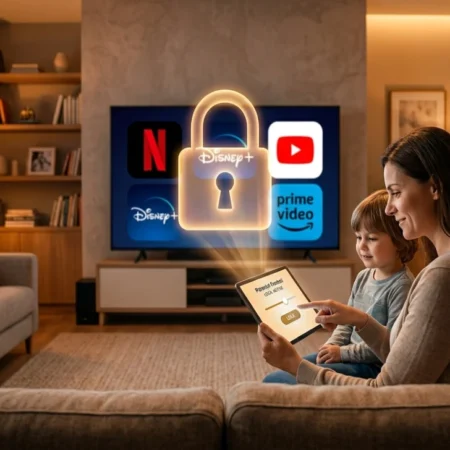
The Netflix crackdown on password sharing changed the math slightly, but family plans and “add a member” features were introduced specifically to fill that gap. Use them. And if children are part of your household setup, getting your parental controls configured properly across each platform is a worthwhile step before you hand over shared access — the defaults vary significantly from service to service.
The Mistakes That Keep You Overpaying (And How to Stop)
What actually works:
- Cancelling immediately after the show you wanted ends — not “next month”
- Setting a monthly 15-minute calendar reminder for your streaming audit
- Using free trials strategically: subscribe right when a season drops, not weeks before
- Sharing anchor service costs with family on official family plans
- Using JustWatch to track release dates so you never over-subscribe
What doesn’t work — and why:
- “Pausing” instead of cancelling. Most pauses auto-resume after 3 months. You’ll forget. Just cancel.
- Keeping services “just in case.” The content will still be there when you resubscribe. Nothing disappears.
- Waiting to subscribe until you have time to watch. You’ll pay for two weeks before you even open the app.
- Using a paid subscription tracker app. Do not pay $4.99/month to track your monthly charges. The irony should stop you.
- Subscribing at the start of a month. Subscribe mid-month — you get a longer effective trial period before the first charge.
The Best Free Streaming Services Worth Your Time in 2026
Since we’re auditing and cutting, let’s talk about what fills the gap.
Tubi remains the undisputed king of free streaming. Its library has grown to over 50,000 titles, including recent movies, cult classics, and original content. The ad load is lighter than most cable TV. If you haven’t opened Tubi recently, you’d be genuinely surprised by what’s on there.
Pluto TV functions more like traditional TV — hundreds of live “channels” organised by genre, plus an on-demand library. Great for the “I just want something on” viewing mode.
Peacock Free continues to be underrated. It carries full runs of classic NBC shows, some live sports, and a growing movie library. The free tier lost some exclusives in 2024 but remains substantial.
Plex is the sleeper pick. If you have your own media collection, Plex organises it and adds a free streaming library. It’s a genuinely excellent app that most people overlook entirely. It also supports spatial audio on compatible devices — something worth understanding if you’re deciding whether a premium audio upgrade is actually worth paying for across any of your remaining services.
Your Monthly Streaming Subscription Audit Checklist
Print this. Screenshot it. Do it every month on the same day — the 1st, or whenever your main card statement closes.
The 15-Minute Monthly Streaming Audit:
- Pull up all active streaming charges from bank/card statements
- Apply the 30-day test to every service — did you open it this month?
- Identify your 1–2 true anchor services (the ones you’d genuinely miss)
- Check JustWatch: is there anything dropping in the next 30 days that justifies keeping a “maybe” service one more month?
- Cancel everything that didn’t pass the 30-day test — right now, not “later”
- Check if any of your remaining paid services have ad-supported free tiers you could switch to
- Review family plan options for your anchor service(s)
- Set a calendar reminder to repeat this in exactly 30 days
Total time: 15 minutes. Potential savings: $300–$600/year.
Everyone Is Quietly Cancelling — Here’s What They’re Saying
The streaming audit conversation has exploded across social platforms — and it’s not just personal finance people talking about it anymore. Entertainment fans are leading the charge.
On Reddit’s r/personalfinance and r/cordcutters, posts about mass-cancelling streaming services regularly reach the front page. The top comment pattern is almost always the same: shock at how much they were paying, followed by genuine relief after cancelling.
The cultural mood has shifted. The pandemic-era mentality of “subscribe to everything, watch later” has collided with post-pandemic inflation realities. Prices have climbed across every major platform since 2022 — Netflix alone has raised its ad-free prices three times in three years. People are doing the math and wincing.
The streaming industry knows this. It’s why every platform launched cheaper, ad-supported tiers in 2022–2023. They’d rather keep you at $7.99/month with ads than lose you entirely. That’s the leverage you have every single time you try to cancel.
Final Verdict: Is a Streaming Subscription Audit Worth Your Time?
Yes. Unambiguously, immediately, yes.
This isn’t about deprivation or turning into someone who lectures friends about subscriptions at dinner. It’s about paying only for what you actually use — and using the rotation strategy to watch more of what you love at less of the cost.
Most people who do their first streaming audit save between $30–$60 in the first month alone. That’s without missing a single show. That’s without giving up Netflix or whatever your household lives on.
You can watch everything you want. You just don’t have to pay for everything at once.
Do the audit this weekend. It takes 15 minutes. The result is worth it.
Which service are you cancelling first? Drop it in the comments — we read every one.
FAQs About Streaming Subscription Audits
Is Netflix still worth it in 2026?
For most households, yes — Netflix remains the highest-value anchor service due to sheer content volume, consistent original releases, and widespread device compatibility. The ad-supported tier at $7.99/month is now genuinely excellent. If you’re on the $22.99 ad-free Premium plan and only one or two people use it, downgrading alone saves you $180/year without losing a single title.
What is the cheapest way to watch TV without cable in 2026?
The cheapest sustainable setup combines one paid anchor service (Netflix or Disney+ at the ad-supported tier: ~$8/month) with 2–3 free ad-supported services like Tubi, Pluto TV, and Peacock Free. Total cost: under $10/month. For sports, a skinny live TV bundle like Sling Orange (~$40/month) is significantly cheaper than cable.
Won’t I lose my watchlist if I cancel a streaming service?
Most platforms — including Netflix, Disney+, and Max — save your watch history, ratings, and lists even after cancellation. They’re preserved when you resubscribe with the same account. Always verify before cancelling mid-binge on a time-limited or live-event title, but for standard on-demand content, your data is safe.
What streaming services can I share with family to save money?
The best family plan values in 2026 are Apple One Family (covers Apple TV+, Music, Arcade, iCloud across 6 people at ~$25.95/month total), YouTube Premium Family (6 members at $22.99/month), and Netflix’s “extra member” add-on (add up to 2 extra members at ~$7.99/person). Disney+ Duo and group plans also offer meaningful per-person savings versus individual subscriptions.
How do I know when new seasons drop so I can subscribe at the right time?
JustWatch.com is the best free tool for this. It tracks release dates across every major streaming platform, lets you create a watchlist, and sends email or push notifications when something you’re tracking becomes available. Set it up once and you’ll never over-subscribe again.

Other Articles



No Comment! Be the first one.