You open your closet maybe once or twice a day. Your phone, on the other hand, lives in your hand from the moment your morning alarm rings until you check it one last time before sleep. Yet most of us feel more guilt over a messy wardrobe than a chaotic digital life.
The truth is, the clutter on your phone is far more costly than the clutter behind a closed door. It drains your focus, steals your time, and quietly adds to your daily stress in ways a disorganized shelf never will.
This article will show you exactly why declutter your phone first is the most impactful productivity move you can make. And it will walk you through a complete, step-by-step plan to reclaim your digital peace.
The Hidden Cost of Your Digital Mess
Ever feel tired after a day where you didn’t even do much? That tiredness has a name. Researcher Scott Hartley calls it “constant partial attention.” It means your brain is always half-focused on something else, waiting for the next ping.
Every notification, every unread badge, every random app icon on your screen pulls a tiny piece of your attention. On their own, they seem harmless. But add them up over a day, and they turn into real mental stress.
This is also where decision fatigue comes in. Should you check that email now or later? Reply to that message or wait? Your brain makes hundreds of these micro-decisions daily, and each one costs energy.
Here’s a simple way to picture it. You open your closet once a day, maybe twice. Your phone grabs your attention every few minutes. Which one do you think is really messing with your peace of mind?
Phone Clutter vs. Closet Clutter: The Priority Battle
Let’s compare the two honestly.
Frequency of use: Your closet gets a few minutes of your attention each day. Your phone? It’s with you from your morning alarm to your bedtime scroll. That’s hours, not minutes.
The psychological weight: When you close your closet door, the mess disappears from your mind too. But digital clutter doesn’t work that way. Every unread email and unorganized folder creates what psychologists call an “open loop.” Your brain quietly keeps track of it, even when you’re not looking at your phone.
Proximity: Your closet stays behind a closed door across the room. Your phone stays in your pocket, buzzing and lighting up, interrupting your thoughts all day long.
Once you see it this way, it’s easy to understand why your phone deserves the decluttering attention first.
Step 1: Audit Your Digital Life Before You Clean
Before you start deleting things, take a moment to reflect. Author Christina Crook suggests a simple exercise: divide your digital habits into two lists — things that are “life-giving” and things that are “life-taking.”
Ask yourself:
- Does this app make me feel good or drained after I use it?
- Do these notifications help me or just interrupt me?
- Am I keeping this because I need it, or just out of habit?
Once you’ve done that reflection, make a list of every messy corner of your digital life. This usually includes:
- Email inbox
- Social media apps
- Photo library
- Downloaded files and documents
- Messaging apps
Having this list in front of you makes the whole decluttering process feel less overwhelming. You know exactly what you’re dealing with.
Step 2: The Complete Phone Decluttering Roadmap
Now comes the fun part. Let’s clean things up, one section at a time.
Purge Your Photo Library
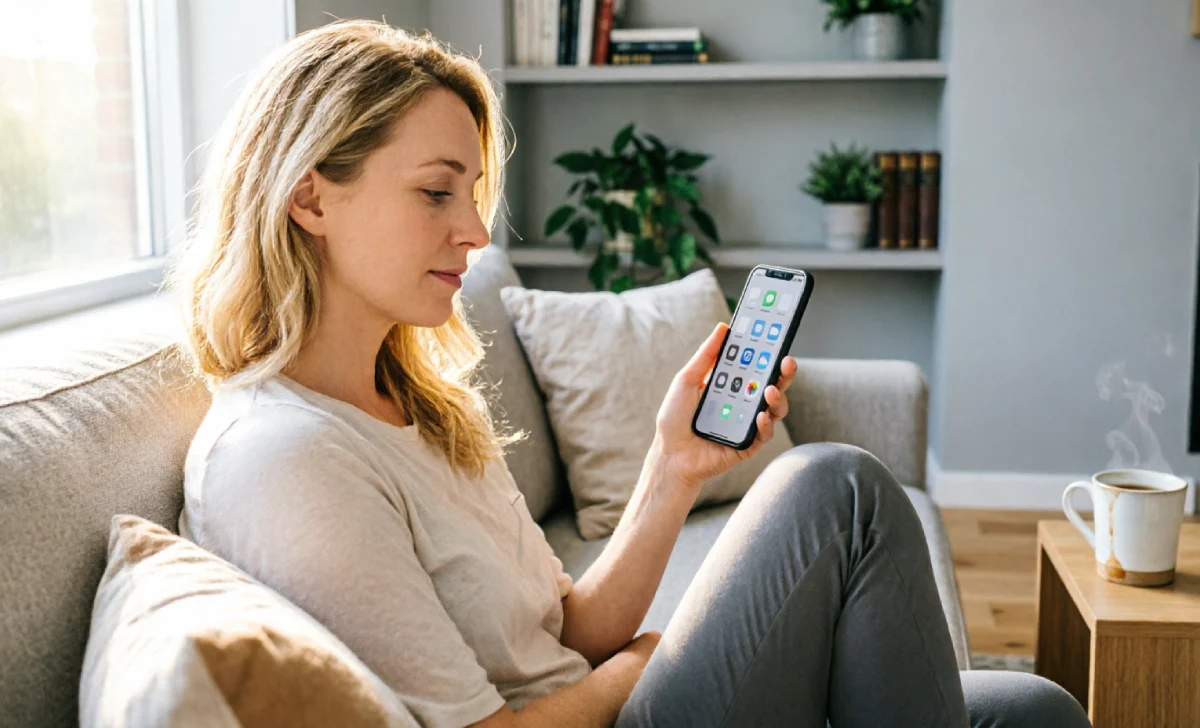
Your camera roll is probably the messiest part of your phone. Screenshots you forgot about, ten almost-identical selfies, blurry shots you meant to delete months ago.
Set aside twenty minutes and go through it. Delete the duplicates. Delete the blurry ones. Keep only the photos that actually mean something to you.
If scrolling through hundreds of photos feels like too much, try an app like Slidebox. It lets you swipe through photos quickly, sorting keepers from junk almost like a game.
Achieve Inbox Zero and Silence Notifications
An overflowing inbox is one of the biggest sources of quiet stress. Start by unsubscribing from newsletters you never read. Set up filters so important emails land in one place and everything else gets sorted automatically.
Next, look at your notification settings. Keep alerts only for things that truly matter, like messages from close people or important work updates. Turn off notifications for games, shopping apps, and anything else that’s just noise.
Instead of checking your phone every time it buzzes, try checking emails and messages at set times. Once in the morning and once in the evening is usually enough for most people.
Simplify Your Home Screen
Take a look at your home screen right now. How many of those apps do you actually use every day?
Keep only the apps that add real value on your home screen. Think calendar, notes, maps, and a couple of essentials.
Move social media apps off your home screen completely. Put them in a folder or on a second page. This small step adds just enough friction to stop mindless opening. You’ll be surprised how much less you open Instagram once it’s not the first thing you see.
Tame Your Digital Junk Drawer
Every phone has a version of a junk drawer. Yours might be saved places, random links, or half-finished notes.
Here’s how to organize it:
- Save your favorite spots into Google Maps lists, sorted by category like restaurants or travel
- Catalog recipes using an app like Paprika or Recipe Keeper instead of screenshotting them
- Use a bookmarking tool like Raindrop.io to save articles and links you want to read later, instead of letting them pile up in your browser tabs
This turns scattered information into something you can actually find and use again.
Clean Up Messaging Apps and Files
Go through WhatsApp and delete old conversations you no longer need. Clear out media you’ve already saved elsewhere or don’t need anymore.
Then head to your downloads folder. Chances are it’s full of old PDFs, forgotten documents, and files you downloaded once and never opened again. Delete what you don’t need and move important files to a proper folder.
Step 3: Build Habits That Keep the Clutter Away for Good
Cleaning up once feels great, but it won’t last unless you build new habits.
Set Rules to Prevent Digital Clutter Before It Starts
Before downloading a new app or subscribing to another newsletter, pause and ask: does this add real value to my life? If the answer isn’t a clear yes, skip it.
The same goes for photos. Instead of taking ten shots of the same moment, try taking just one great photo. You’ll actually enjoy the moment more, and your camera roll will thank you.
Swap Mindless Scrolling for Analog Rest

When you get home, put your phone in a basket along with your keys. This one habit alone can save you hours of mindless scrolling every week.
Instead of zoning out on your screen, try something analog. Read a few pages of a book. Go for a short walk. Bake something. Or just sit outside for a few minutes and do nothing at all. Your brain needs that kind of rest more than you think.
Stick to What Truly Matters
You don’t need to be on every social platform. Pick one or two that genuinely bring you joy or value, and let go of the rest. Use them with intention, not out of habit.
The Life-Changing Upside of a Tidy Phone
Once your phone is decluttered, you’ll notice the difference almost immediately. Your mind feels clearer. You sleep better because your brain isn’t holding onto a dozen open loops. You get more done because you’re not constantly distracted.
A clean phone stops being a source of stress and starts being what it was always meant to be: a helpful tool, not a distraction machine.
And here’s the best part. Once your digital house is in order, you’ll have the mental space and calm to tackle your physical closet, your desk, or any other cluttered corner of your life with much more ease.
So maybe it’s time to stop worrying about that messy closet for a moment. Pick up your phone instead, and start there.

Other Articles

3 Ways to Say No Without Over-Explaining (That Work)

No Comment! Be the first one.