
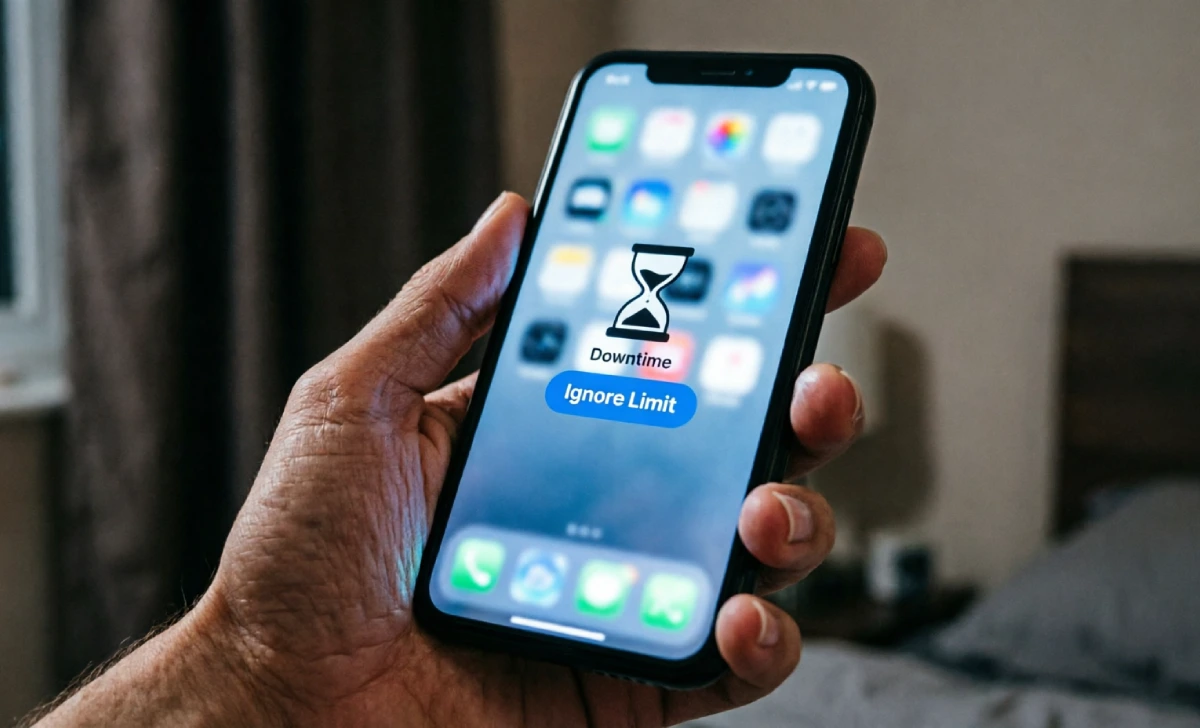
You set it up with the best intentions. No notifications after 9 p.m. A soft, friendly reminder that it’s time to put the phone down and rest your mind. You imagined peaceful evenings with a book, deeper conversations, and easy sleep. Then, a few nights in, the screen dims, the little hourglass icon appears… and you tap “Ignore Limit” without even thinking.
If that sounds familiar, you’re not alone. Millions of us have tried using the “Downtime” feature on our phones, only to realize that the Downtime Setting Not Working the way we hoped. The promise of digital wellness turns into another source of quiet guilt. But the problem isn’t you, and it’s not that you lack willpower. The real issue is that the tool was never designed to address how our brains and habits actually work.
Let’s unpack why your phone’s downtime setting fails, and more importantly, what you can do instead—practical, gentle strategies that truly help you take back your evenings.
What Is “Downtime” and Why We Thought It Would Save Us
For anyone who hasn’t tried it, Downtime is a feature on iPhones (and similar focus modes exist on Android) that lets you schedule a block of time where only specific apps and calls are allowed. The screen dims, app icons fade, and you get a polite message reminding you of your limit. In theory, it’s a digital fence between you and the endless scroll.
We thought it would be like having a kind but firm life coach in our pockets. Someone who would say, “Hey, you said you wanted to unwind. Put me down.” But in reality, it’s more like a coach who whispers the suggestion and then walks away while you ignore the rules entirely.
Why It Isn’t Working (The Uncomfortable Truth)
To fix something, we first need to see it clearly. Here are the main reasons the Downtime setting tends to backfire.
It’s Too Easy to Bypass
The biggest flaw is the “Ignore Limit” button. It’s right there, glowing on the screen. You can choose “Ignore for 15 minutes” or “Ignore for the rest of the day” with a single tap. When you’re tired, bored, or a little anxious, that tap takes no effort at all. There’s no friction, no waiting period, no real consequence. It’s like locking your cookies in a safe but leaving the key on the counter.
It Feels Like Restriction, Not Self-Care
When a tool blocks you from something, your brain often wants it more. This is the classic “forbidden fruit” effect. Instead of feeling protected, you might feel annoyed or defiant. The downtime setting can feel like a punishment you gave yourself, and nobody likes being punished—especially by themselves, especially when they’re trying to relax.
It Doesn’t Address the Real Hole
Most of us don’t scroll because we’re bad people with no discipline. We scroll because we’re tired, lonely, stressed, or avoiding something. The phone fills a small emotional gap. If you lock the apps but don’t fill that space with anything comforting or meaningful, the silence can feel unbearable. Willpower alone can’t outlast an unmet need.
The Digital Fence Is Too Low
Notifications from “allowed” apps can still trickle through. Or you might just switch to your laptop, tablet, or even pick up a partner’s phone. The downtime feature only addresses one single device, not the environment or the underlying habit loop.
What Actually Replaces Downtime: Gentle Strategies That Work
The goal isn’t to fight your phone and win. The goal is to create an evening routine that feels so nourishing, the phone naturally loses its grip. Here’s what has worked for real people trying to reclaim their nights.
1. Make Your Phone Boring Before Bedtime
Instead of relying on a software block that’s easy to ignore, change the phone’s appeal. Switch your display to grayscale mode (most phones have this under accessibility settings). A black-and-white screen is surprisingly less addictive—social media feeds lose their sparkle, and colorful games look dull. You can even automate this to happen every evening at a certain time. The visual shift tells your brain, “We’re winding down now.”
2. Create Physical Distance (Without Cold-Turkey Panic)
Designate a “phone home” in another room or at least across the bedroom. It can be a small basket on a shelf, a fabric pouch, or a dedicated charging station that’s out of arm’s reach from your bed. Pair this with a cheap traditional alarm clock so you don’t need the phone for morning wake-ups. The message is gentle: the phone isn’t banned, it’s just resting in its own cozy spot while you rest in yours.
3. Replace “Don’t” With “Do”
Your brain responds much better to positive instructions. Instead of saying “I won’t check Instagram in bed,” try “I will read three pages of my novel” or “I will listen to a short sleepy story on a meditation app.” Keep a physical book, a journal, or a crossword puzzle on your nightstand. The moment the urge to scroll hits, you reach for that replacement object. The key is making the alternative feel like a treat, not a chore.
4. Use a Genuine Hard Lock (With Friction)
If you need a digital barrier, use an app or setting that makes bypassing truly inconvenient. Some third-party apps allow you to set strict locks that require typing out a long motivational sentence or waiting a full minute before the app unlocks. That tiny friction—even 60 seconds—is often enough for your conscious brain to catch up and say, “Wait, I don’t actually want to do this.” You can also have a friend set the password and keep it from you until morning.
5. Welcome the Uncomfortable In-Between Moments
Part of why we grab our phones is to avoid that brief pause when we’re alone with our thoughts. Instead of running from it, tell yourself it’s okay to feel a little bored or restless for a few minutes. Stretch your legs, look out the window, or just notice your breathing. Frame this as a mini mental reset, not a punishment. The discomfort passes faster than you think, and on the other side is genuine calm.
Building an Evening Ritual That Feels Better Than Scrolling

The best replacement for screen time isn’t more restrictions—it’s a ritual so comforting that you actually look forward to it. Here’s a simple sequence you can adapt.
- Set a “sunset” alarm (not a block): Pick a time, say 8:45 p.m., when a gentle alarm reminds you to start powering down. It’s an invitation, not a demand.
- Switch to cozy mode: Dim the lights, put on soft music or nature sounds, and change into comfy clothes. Signal to your body that the day is softening.
- Do a tiny offline pleasure: Brew a caffeine-free tea. Use a nice-smelling hand cream. Write down one good thing that happened today. Pet your cat slowly. These small sensory experiences ground you in the present moment. If you need inspiration, try making a joy list of offline pleasures you can reach for anytime.
- Keep your hands busy: Knitting, doodling, or even folding laundry while listening to a podcast can satisfy the urge to fidget without a screen.
- End with something that gently closes your mind: A chapter of a calm book, a guided body scan, or simply listening to the rain. The phone is out of sight, and you’re too occupied with real sensations to miss it.
The Mindset Shift That Finally Makes It Stick
This isn’t about willpower. It’s not a test you pass or fail. Think of your attention as something deeply precious—a garden you tend, not a fortress you guard with harsh rules. When you reframe the evening as an act of kindness toward yourself, the phone’s glow becomes less magnetic. You’re not “restricting” yourself. You’re giving yourself the quiet, the rest, and the unbroken presence you’ve been craving all day.
Start with building tiny micro-habits. Maybe tonight you only manage to keep the phone out of reach for twenty minutes. That’s a win. The next night, it might be thirty. Little by little, you show your brain that the offline world holds a warmth no app can replicate.
Your phone’s downtime setting might not work, but you don’t need it to. You already have everything you need to create evenings that feel nourishing and truly yours. Turn down the lights, take a deep breath, and trust that the real world—the one with soft sheets, real conversations, and a sky full of stars outside the window—is ready to welcome you back.






No Comment! Be the first one.