A featured snippet is a short answer box that Google pulls from an already-ranking page and displays above the normal search results. It’s often called position zero because it sits above the #1 organic listing, even though the source page still keeps its regular ranking too.
Featured snippets remain one of the highest-click placements on a results page. First Page Sage’s 2026 benchmark data puts the click-through rate on a top-position featured snippet at roughly 42.9%, which is close to the click share of a standalone AI Overview.
Suggested visual: a screenshot of a live Google search with the featured snippet box circled. Alt text: “Example of a Google featured snippet shown above the first organic search result.”
The Different Types of Featured Snippets
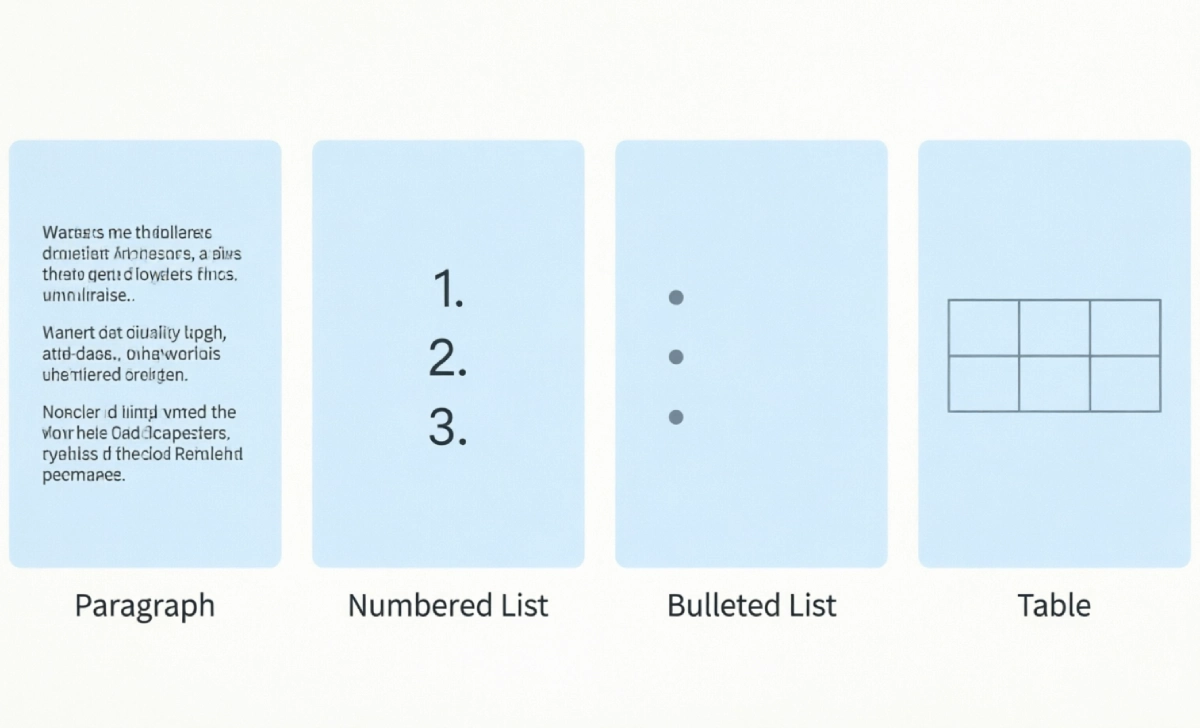
Google formats snippets to match the question being asked. Knowing the type your target keyword already shows tells you exactly how to format your answer.
- Paragraph snippet — a 40–60 word text answer, most common for “what is” and “why” questions
- Numbered list snippet — used for step-by-step or ranked content
- Bulleted list snippet — used for non-sequential lists, like ingredients or features
- Table snippet — used for comparisons, pricing, or specifications
- Video snippet — a timestamped clip pulled from YouTube
Before you write a word, search your target keyword and check which format currently appears. Matching that format is one of the biggest factors in earning the spot.
Why Featured Snippets Still Matter in the AI Overview Era
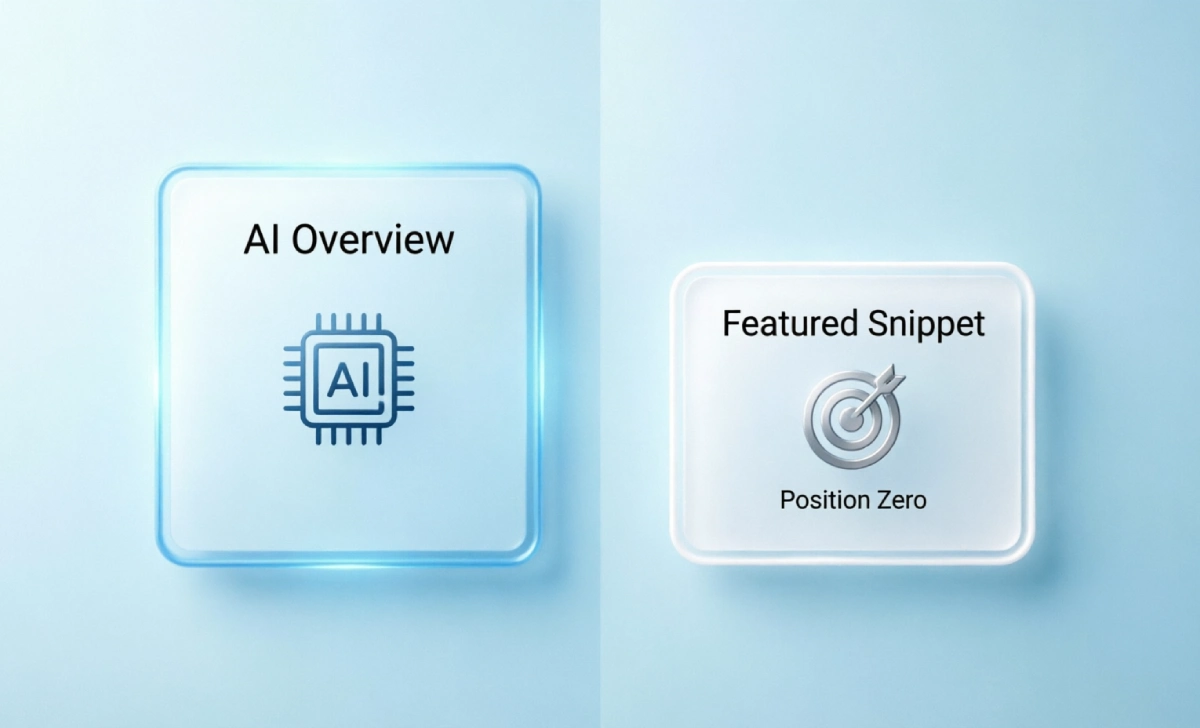
Google’s AI Overviews have changed the search results page since their 2024 rollout, and by early 2026 they appear on roughly half of all searches, according to tracking from BrightEdge and Conductor. That has genuinely reduced how often traditional featured snippets show up — Ahrefs recorded featured snippet visibility falling from about 15% to 5.5% of U.S. desktop queries between January and June 2025.
Here’s the part beginners miss: featured snippets haven’t become useless — they’ve become a stepping stone. Research cited across multiple 2026 industry reports shows a strong overlap between pages that previously held a featured snippet and pages Google now cites as a source inside its AI Overview. Structuring your page to win a snippet is the same work that gets you cited by AI search. This gives your page a click-through rate boost even when Google shows both features, since users still scan cited sources before typing a follow-up question.
Featured snippets also still dominate specific query types even in 2026 industry analysis:
- How-to and step-by-step searches
- Comparison and “vs.” searches
- Voice search results (Backlinko’s research found around 41% of Google Home voice answers come directly from a featured snippet)
How Does Google Choose a Featured Snippet?
A few facts to keep in mind before you start:
- Only page-one results are eligible. Ahrefs’ large-scale study found that 99.58% of featured snippets come from pages already ranking in positions 1 through 10.
- Question-based queries trigger snippets most often — anything starting with what, how, why, or can.
- You don’t need position #1. A page ranking #4 or #5 can still win the snippet if its answer is the clearest and best formatted.
- Schema markup isn’t required, though FAQ or HowTo schema can help Google understand your page structure faster.
How to Get a Featured Snippet: Step-by-Step
Step 1: Find Realistic Opportunities
Start with keywords you already rank for on page one, ideally positions 2 through 10. These are the fastest wins because Google has already judged your page relevant — it just needs a better-formatted answer to pull from.
Tools to use:
- AlsoAsked (free tier available) — shows the exact “People Also Ask” question clusters tied to your keyword
- Ahrefs (paid) — filters your ranking keywords by which ones already display a featured snippet
- Google Search Console (free) — cross-check which of your queries have high impressions but low clicks, a sign a snippet or AI Overview is sitting above you
Step 2: Match Your Heading to the Question
Your H2 or H3 should closely mirror the search query. If someone searches “what is a featured snippet,” your heading should read almost exactly that, not a clever rephrasing.
Step 3: Answer Immediately, in 40–60 Words
Place a direct, factual answer right under the heading, before any story, statistic, or backstory. Google pulls from the clearest standalone block of text, not the most creative one.
Step 4: Format for the Snippet Type You Found in Step 1
If the current snippet is a numbered list, structure your answer as a numbered list. If it’s a table, build an actual HTML table, not a styled image — Google can’t extract text from an image snippet.
Step 5: Back It Up With Real Depth
A concise answer earns the snippet, but supporting detail keeps the visitor reading and signals genuine expertise to Google. This is where E-E-A-T comes in — a Google framework standing for Experience, Expertise, Authoritativeness, and Trustworthiness, used to judge whether content is worth ranking. Small sites can build this by citing sources, adding a named author bio, and including original examples instead of rewritten competitor content. Our guide on E-E-A-T for small blogs breaks down how to do this without a large editorial team.
Step 6: Update Pages You Already Have
You rarely need brand-new content. Auditing and optimizing existing content you already have is often faster: add a direct answer near the top, tighten your formatting, and refresh outdated stats. Google rewards freshness on informational pages, especially ones tied to fast-moving topics like AI search.
Step 7: Add Schema Markup (Optional but Useful)
FAQ schema or HowTo schema won’t force Google to give you the snippet, but it does make your answer easier for both traditional crawlers and AI systems to parse and cite correctly.
Suggested visual: a comparison table of featured snippet formats vs. the query types that trigger each one. Alt text: “Table comparing paragraph, list, table, and video snippet formats to matching search intent.”
Write a Meta Description That Supports the Snippet
Your meta description won’t win you the snippet directly, but a clear one improves your click-through rate once you do rank near the top. Keep it under 155 characters, include your primary keyword naturally, and state the exact benefit a reader gets. If you need a repeatable structure, this meta description formula breaks the process into a fill-in-the-blank template.
5 Mistakes Beginners Make
- Writing a long intro before the answer. Google needs the answer in the first 40–60 words, not paragraph four.
- Targeting keywords with no snippet at all. Search the term first — some queries simply never trigger one.
- Ignoring the current snippet format. A paragraph answer won’t replace an existing list snippet.
- Copying competitor phrasing. Google’s helpful content systems can detect and demote thin, derivative writing.
- Expecting results in days. Snippet changes typically take several weeks to reflect after you republish.
Mini Case Study: A Small Blog’s Snippet Win
A three-person marketing blog rewrote an existing 1,200-word post on “how to write a meta description” by adding a 45-word direct answer under the H1, converting a buried tip list into a numbered H3 sequence, and adding an author bio with real campaign experience. Within five weeks, Google Search Console showed the page’s average position moving from #6 to the featured snippet slot for its target keyword, and clicks on that query roughly doubled. No new backlinks were built — the change was structural, not promotional.
How to Measure Whether It’s Working
Use Google Search Console as your primary tracking tool. Filter by the specific query, then watch two numbers over the following weeks:
- Impressions — should stay steady or rise, since you still rank
- Click-through rate — should climb once the snippet appears, since position zero out-clicks a standard #1 listing
Set up GA4 to tag organic landing pages with a custom segment so you can isolate traffic from snippet-winning pages versus the rest of your site. If you’re running paid promotion alongside organic content, tag those campaigns with UTM parameters, so GA4 doesn’t blend paid and organic performance together.
Treat every change as a test, not a guess: test a new heading or format, measure the result over 3–4 weeks, then improve based on what Search Console shows. Don’t judge a change after three days — Google needs time to reassess and re-extract snippet content.
One caution for 2026: rising zero-click search data means even a successful snippet may not convert to a click the way it did a few years ago. Google’s own search behavior research and third-party tracking now put the overall zero-click rate above 60%, so treat snippet visibility as a trust and brand-awareness win too, not just a traffic metric.
What’s Changing: AI Overviews and Privacy Shifts
Three realistic shifts to plan around in 2026, without overpromising:
- AI Overviews will keep absorbing some snippet-style traffic, particularly for broad informational questions. Transactional, comparison, and how-to content are holding up better than general definitions.
- Cookie-less tracking is becoming standard as browsers restrict third-party cookies. Lean on first-party data from GA4 and Search Console rather than third-party pixels for your snippet performance tracking.
- Google’s helpful content systems reward original experience. Pages written from genuine hands-on knowledge, with named authors, are more likely to earn both a featured snippet and an AI Overview citation than generic rewrites.
None of this guarantees a click. Structuring content well earns you the opportunity — it doesn’t promise the outcome.

Other Articles

Free SEO Audit Checklist: Fix Your Blog Fast
What Is Time Confetti and How Does It Ruin Your Focus?

No Comment! Be the first one.