
Your traffic dashboard shows 50,000 visitors this month, and your boss is thrilled — but your sales pipeline has not moved an inch. That disconnect happens to marketers constantly. The real debate is not about how many people showed up. It is about click-through rate vs traffic — and which number actually tells you if your audience cares. CTR is the metric that reveals whether your titles, ads, and snippets are doing their job. In this guide, you will learn why CTR predicts growth better than raw traffic, and what to do when yours is falling short.
What Is Click-Through Rate, Really?
Click-through rate (CTR) is the percentage of people who click your link out of everyone who saw it. The formula is simple: clicks ÷ impressions × 100.
If your ad or search listing showed up 1,000 times and got 50 clicks, your CTR is 5%. Traffic, by contrast, is just the raw count of visits — it tells you how many people showed up, not how compelling your offer was to the people who saw it but didn’t click.
This distinction matters because traffic can rise while CTR quietly collapses, and most dashboards won’t flag it.
CTR vs. Traffic: The Core Difference
| Traffic | Click-Through Rate | |
|---|---|---|
| What it measures | Total visits/sessions | Clicks ÷ impressions |
| What it tells you | Volume | Relevance and appeal |
| Risk if used alone | Hides poor targeting, wasted spend | Hides total reach (low CTR on huge volume can still win) |
| Best used for | Capacity planning, server load | Headline/ad/title testing, audience fit |
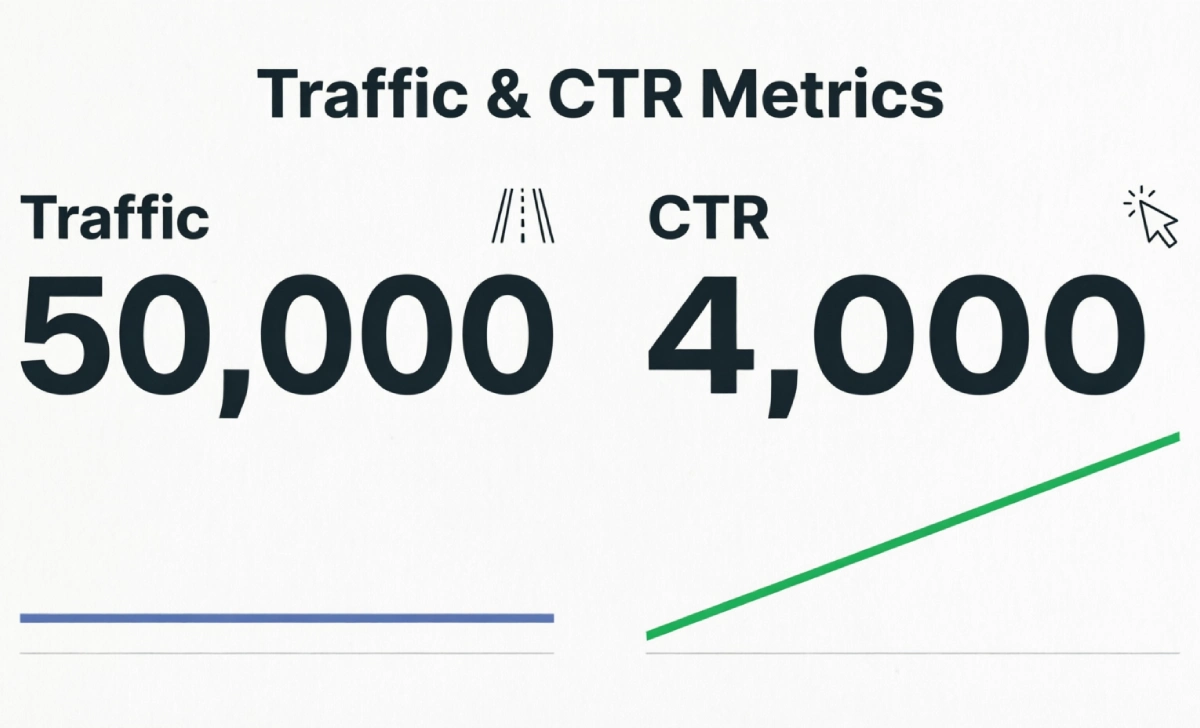
Suggested visual: a side-by-side bar chart comparing “Page A: 10,000 visits, 1% CTR” vs. “Page B: 4,000 visits, 6% CTR” to show why the smaller-traffic page is healthier. Alt text: “Comparison chart showing high traffic with low CTR versus moderate traffic with high CTR.”
Why CTR Deserves More of Your Attention
It’s a Leading Indicator, Traffic Is a Lagging One
Traffic tells you what already happened. CTR tells you what’s about to happen to your pipeline. A dropping CTR on a page that still ranks well is an early warning that your headline, meta description, or ad copy has stopped resonating — usually weeks before conversions visibly dip.
It Directly Affects What You Pay (and What You Rank For)
In paid search, CTR feeds directly into Quality Score, Google’s relevance rating for your ads. Higher-quality ads get rewarded with lower costs: ads with a Quality Score of 8–10 achieve 92% higher CTRs at Position 1 compared to low-Quality Score ads rated 1–3, according to Focus Digital’s 2025 Google Ads benchmark report. The average CTR across all industries for Google Search Ads sits at roughly 6.66% as of March 2025.
On the organic side, Google has not confirmed CTR as a direct ranking factor, but it’s a strong proxy for which pages satisfy search intent — and a weak CTR relative to your position is a clear signal your snippet needs work, regardless of ranking algorithm debates. Whether your budget is going toward SEO or PPC, CTR is the one metric tying both channels’ performance together.
It Reveals Where AI Overviews Are Eating Your Clicks
This is the single biggest organic CTR shift of the past two years. A February 2026 Ahrefs analysis of 300,000 keywords found that when AI Overviews appear, top-ranking pages see a 58% reduction in click-through rate, with the drop-off easing slightly at lower positions. Separately, position-by-position tracking shows Position 1 organic CTR down roughly 32% year-over-year, with Position 2 losing closer to 40%, as AI-generated answers push traditional results further down the page.
The upside: positions 6 through 10 are picking up roughly 30% more clicks than before, as users scroll past AI summaries to verify information manually. Watching CTR by position — not just overall traffic — is the only way to see this shift happening on your own site.
[Source: Ahrefs / Outerbox SERP CTR Study, 2026]
It Still Rewards Top Positions Heavily
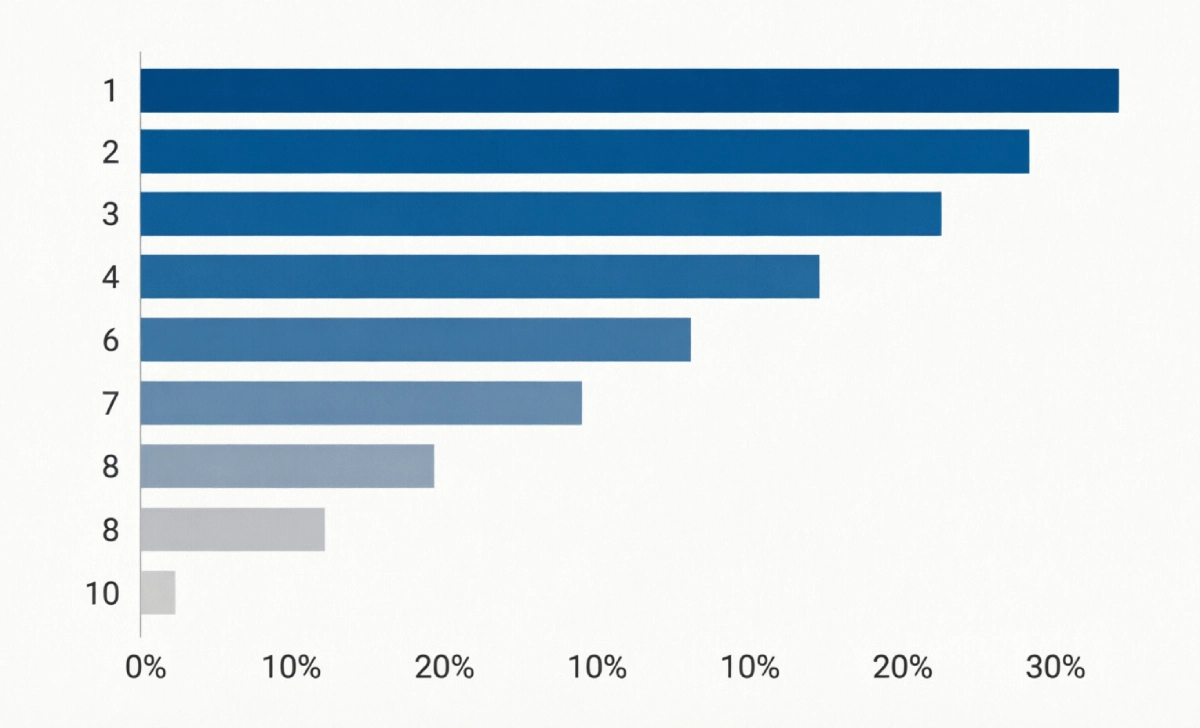
Position still matters enormously. The top 3 organic search results receive more than two-thirds (68.7%) of all clicks on a typical Google search page, and the #1 organic result earns about 19 times more clicks than the top paid ad, per First Page Sage’s 2026 ranking report. That gap is exactly why a 2–3 point CTR improvement at the top of the page can outperform months of link-building further down.
Suggested visual: a simple funnel or bar graph of CTR by organic position (1 through 10). Alt text: “Bar chart showing click-through rate declining sharply from position 1 to position 10 on Google search results.”
Mini Example: Same Traffic Source, Different Outcome
Picture two blog posts ranking on page one for the same keyword, both pulling 5,000 monthly impressions.
- Post A uses a generic title (“10 Marketing Tips”) and earns a 2% CTR — 100 clicks.
- Post B rewrites the title to lead with a number and a clear benefit (“10 Marketing Tips That Doubled Our Email Signups in 30 Days”) and earns a 7% CTR — 350 clicks.
Same ranking, same impressions, 3.5x more traffic — purely from a CTR fix. No new content, no new backlinks, no extra budget. This is the kind of lever that’s easy to pull and easy to measure, which is exactly why it deserves a permanent slot on your reporting dashboard.
How to Improve CTR: A Step-by-Step Framework
- Audit your current CTR. Pull Search Console’s Performance report (organic) or your ad platform’s CTR column (paid), and sort by impressions. Focus first on pages with high impressions but below-benchmark CTR — that’s your biggest opportunity.
- Diagnose the gap. Compare your CTR to industry benchmarks for your position. If you’re well below the curve, the title, meta description, or ad headline is likely the problem, not your ranking.
- Rewrite for clicks, not keywords alone. Lead with a number, a benefit, or a question. Keep titles under 60 characters and meta descriptions under 155 so they don’t get cut off.
- A/B test the change. Run two title or headline variants for at least 2–4 weeks (or until you hit statistical significance in your ad platform) before declaring a winner.
- Re-measure and document. Log the before/after CTR and resulting traffic change. This builds a swipe file of what actually moves your specific audience.
Quick checklist before you publish any title or ad copy:
- Does it state a clear benefit or outcome?
- Is it under the platform’s character limit?
- Does it match what the page/landing page actually delivers?
- Would you click it if you saw it in a feed of ten others?
Tools to Track and Improve CTR
- Google Search Console (free) — see organic CTR by exact query and position; the only free source of real Google CTR data.
- Google Analytics 4 (GA4) (free) — track what happens after the click: bounce rate, conversions, and session quality by traffic source.
- Ahrefs or Semrush (paid) — benchmark your CTR against SERP features and competitors, and spot AI Overview impact on specific keywords.
- Google Ads / Meta Ads Manager built-in A/B testing (free with ad spend) — split-test headlines and creative directly inside the platform you’re already paying to use.
Measuring ROI: Don’t Skip the Tracking Setup
CTR only matters if you connect it to downstream results — especially if you’re trying to measure ROI solo, without a full analytics team backing you up. Set this up before you run any test:
- UTM parameters on every campaign link, so GA4 can separate “clicked from email” traffic from “clicked from organic search” traffic.
- GA4 conversion events tied to your actual business goal (lead form, purchase, signup) — not just pageviews.
- Conversion pixels (Meta Pixel, LinkedIn Insight Tag, etc.) if you’re running paid social, so platform-reported CTR can be cross-checked against actual on-site action.
KPIs to watch alongside CTR: click-to-open rate (email), cost-per-click (paid), conversion rate post-click, and bounce rate. A high CTR with a high bounce rate usually means the click promise didn’t match the page — fix the landing page, not the headline.
Adopt a Test → Measure → Optimize loop: change one variable at a time, give it enough volume to be statistically meaningful, then act on the data rather than a hunch.
What’s Changing: AI Search and Privacy
Two shifts are reshaping how CTR behaves right now, and neither is hypothetical.
First, AI Overviews and zero-click answers are compressing organic CTR at the top of search results, as shown in the Ahrefs data above — plan content strategy assuming fewer clicks per impression at position 1, not more.
Second, on the privacy side: despite years of warnings about a “cookieless future,” Google formally walked back its plan to deprecate third-party cookies in Chrome, confirming in April 2025 it would keep current cookie support and continuing in October 2025 to retire most Privacy Sandbox APIs rather than force the change. Google confirmed it will continue supporting a few privacy-focused platform features, but it won’t restore full audience-level targeting or attribution. Translation: third-party cookies aren’t disappearing on schedule, but first-party data and consented tracking remain the safer long-term bet regardless.
Always check your ad platform’s current terms of service before running new tracking pixels or remarketing audiences — rules here shift faster than most blog posts can keep up with.






No Comment! Be the first one.